
By the Sparrow SMS Team — Meta Technologies Partner in WhatsApp Business API from Nepal. With hundreds of businesses registered under various sectors such as banks, e-commerce sites, logistics firms, and health centers, our experts have had plenty of real-life experience dealing with businesses' WhatsApp accounts to align with Meta's policies for the service.
Updated in May 2025 | Sources: Meta WhatsApp Business Messaging Policy & Meta Developer Documentation
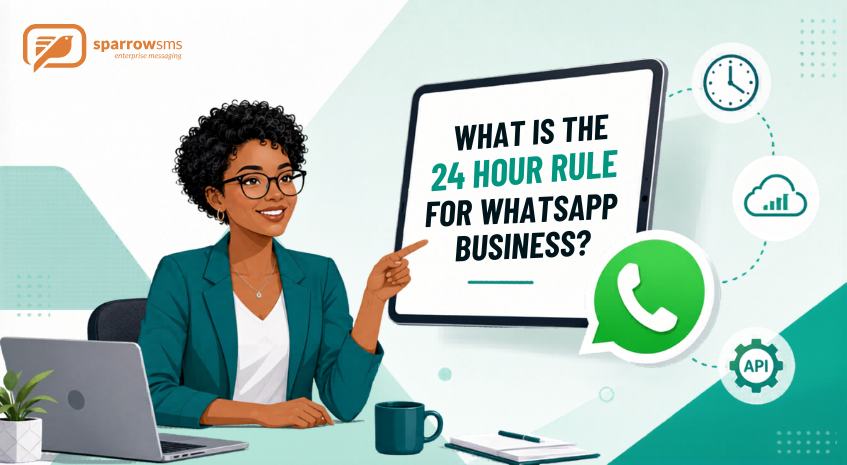
The 24-hour messaging rule is a very important element for a business that depends on WhatsApp for customer communication. The rule, enacted by Meta via WhatsApp Business API, sets the terms for contacting a customer within a certain period of time. Any violation of the policy will mean inability to send messages to those customers.
Here at Sparrow SMS, we enable companies in Nepal to integrate WhatsApp Business API in their business processes while adhering to the requirements of the 24-hour rule. We have helped many businesses in banking, retail, logistics, and education sectors to maintain compliance while communicating efficiently.
Table of Contents
ToggleWhat is the 24-Hour Rule for WhatsApp Business?
In line with Meta's WhatsApp Business Messaging Policy, businesses are permitted to send responses to users without the use of a Message Template if done within 24 hours after the user sent a message. This is known as the customer service window.
If customers reach your business through WhatsApp at any point, you will get 24 hours to contact them via WhatsApp. During this time, your business will be allowed to communicate via text, images, buttons, documents, and other formats without needing a Message Template. Once this 24-hour period elapses without receiving another message from the customer, the window closes.
From the Developer Documentation provided by Meta, the timer starts from scratch once users have called or messaged you before the timer expires.
"Outside the 24-hour customer support window, you are only allowed to send messages using approved Message Templates." — WhatsApp Business Messaging Policy, Meta Platforms
Why Do We Need This Rule?
The introduction of the 24-hour requirement by Meta aims at avoiding the sending of spam messages on WhatsApp. In contrast to other messaging services such as email and SMS, WhatsApp is an extremely private platform used almost daily by 2 billion people across the globe. Meta does not want any business to spam its customers.
The 24-hour limit will distinguish between service messages, where the customer initiates the conversation, and marketing messages, where the customer explicitly opted in to receiving those messages and they use templates previously approved.
In our experience, teams who communicate within the 24-hour window get much better customer satisfaction scores and a considerably lower number of opt-outs than those who send out many template messages.
What Happens Within the 24-Hour Window?
As far as communication goes, your company enjoys total freedom of expression in the customer service window. In accordance with Meta's Service Messages guide, you may do all of the following:
- Answer questions from your customers through any medium — whether text, media, or documents.
- Communicate with customers through interactive messages like quick reply, list messages, and call-to-action URL buttons.
- Forward PDF documents, invoices, delivery proof photos, and other files.
- Redirect the thread to a human agent via your shared team inbox.
- Launch automated chats with the help of chatbots — as long as there are clear escalation routes to a human agent, in line with Meta's policy.
It should be emphasized that as of November 2024, Meta started allowing all customer-initiated service conversations for free, with absolutely no restriction on the amount of service threads a business might need. Therefore, responding immediately becomes more cost-efficient than ever before.
What Happens Once the 24-Hour Window Ends?
Once the window ends, your organisation cannot use free-form messaging. Only messaging done using the Meta-approved Message Template will be allowed. These templates are subject to review and approval by Meta and should adhere to a certain format.
Some common examples of template usage once the window closes that our clients in Nepal make use of via the Sparrow SMS platform include:
- Order dispatch and delivery notifications in e-commerce companies.
- EMI date reminders for banks and financial institutions.
- Confirmation and reminder messages for appointments at hospitals.
- Account and OTP verifications from fintech firms.
- Customer re-engagement campaigns from retail and educational organisations.
These templates have to be created through your WhatsApp Business API partner and should be approved by Meta before sending. We help our clients create templates that have quick approval chances at Sparrow SMS.
Understanding WhatsApp Conversation Categories (Updated 2024)
For conversations on WhatsApp since 2023, Meta has been charging based on the category, not on a per-message basis. Therefore, understanding these categories is important for compliance and effective management. There are four types of conversation categories:
Service Conversations
This involves customer-initiated conversations made within the 24-hour period. All service conversations are free as of November 2024. This means that businesses which respond effectively and solve customers' concerns within the set period are rewarded with free services.
Utility Conversations
These include transactional messages made outside the 24-hour window. They involve confirmation of orders, deliveries, payment receipts, and appointments. They are business-initiated and must have a pre-approved template from Meta. Utility messages made during an open 24-hour window are also free, courtesy of changes brought by Meta in 2024.
Authentication Conversations
Exclusive conversations used for sending one-time passwords (OTPs) and authentication codes. These strictly follow the Meta-defined format and provide the most secure method of user validation on WhatsApp. The Sparrow SMS platform enables the delivery of OTP messages using WhatsApp, with an average delivery time of less than three seconds.
Marketing Conversations
Promotions that include product launches, flash sale notifications, and special offers aimed at customer re-engagement. These conversations can only be initiated after obtaining opt-in permission from the users. Of all types of WhatsApp Business API conversations, marketing conversations cost the most per message and involve the greatest level of compliance management.
How to Ensure Compliance with the 24-Hour Rule
Once you set up your WhatsApp Business API account appropriately, compliance will become simple. Drawing from our onboarding experience with more than 500 companies in Nepal, here are some best practices:
Respond Within the Window Quickly
It is important that the response time is kept to the minimum by training the support staff or by using automation tools so as to make sure that the window remains open. A timely response increases customer satisfaction while decreasing the risk of the user blocking or reporting your business number, which negatively affects your Meta quality score.
Prepare Approved Templates Before Launch
Before going live, it is necessary that the client prepares the list of all templates required across various scenarios such as order confirmations, payment reminders, OTPs, appointment bookings, and customer re-engagement. Sparrow SMS helps you get your templates submitted and approved as part of the onboarding process.
Collect Correct Opt-In from Customers
To send messages to customers, you must collect explicit opt-ins from all of them, especially for marketing templates. Explicit opt-in can be done by collecting user consent via your website or mobile application, QR code at your store, or a previous WhatsApp conversation. Do not ever send marketing templates if the user has not consented previously. Getting an explicit opt-in is not only a requirement but also a best practice that will keep your quality rating healthy.
Monitor Your Quality Rating on Meta Business Manager
Meta automatically rates every business WhatsApp account into one of three categories — Green (High), Yellow (Medium), and Red (Low) — depending on user signals such as blocking, reporting, and muting, which can affect your account limits. Sparrow SMS customers can monitor these signals through delivery analytics and read receipts available on the dashboard.
A Practical Case Study: The 24-Hour Rule in Action
Let us give you an example of how it works in practice with our e-commerce clients based in Nepal.
A customer sends a message on WhatsApp to a retail store at 10:00 AM inquiring about the status of their order. The business gets up to 24 hours from that time to answer without any obligations or costs. They respond quickly through the Sparrow SMS shared inbox feature, solve the problem, and send a PDF invoice — all within the timeframe and absolutely free.
Three days later, the next order from that customer is shipped. The 24-hour window from the moment the customer sent their message has long passed. The retail store sends a pre-approved utility message: "Your order #1234 is being dispatched. Delivery is expected today between 4–7 PM." The message was sent in compliance with the 24-hour rule, for a small per-message fee under the utility category.
How Sparrow SMS Helps You Follow the 24-Hour Rule
Being a certified Meta Technology Partner, Sparrow SMS delivers a fully managed WhatsApp Business API platform to companies operating in Nepal. This includes the following:
- Full end-to-end onboarding along with business verification and number activation, ensuring most customers go live in 5–7 business days.
- Creation and submission of templates with appropriate formatting to Meta for quick approval based on service-centric language.
- Shared inbox for the entire team where support personnel can respond to customer queries within the 24-hour period without technical expertise.
- Drag-and-drop chatbot builder that automatically replies to customers and redirects queries to live support agents using predefined escalation flows as per Meta's policy guidelines.
- Campaign management tools for sending marketing and utility templates to subscribed contacts.
- Delivery analytics in real-time, quality rating tracking, and read receipts to take action before issues escalate.
- Complete REST API with full documentation for integration by developers, ready to deploy within 10 minutes.
Enterprises across e-commerce, banking, healthcare, and logistics in Nepal use Sparrow SMS for seamless, compliant, and scalable communication via WhatsApp. Explore our full range of services or get in touch with our team to get started.
Frequently Asked Questions
Does the 24-hour window restart each time a customer sends a message?
Yes. According to Meta's developer documentation, the 24-hour window resets every time a customer sends your business a new message. Replying to an existing message from you will open a new 24-hour window.
Am I allowed to send images and documents within the 24 hours without a template?
Yes. During the customer service window, you can send any type of media or content including images, videos, text, documents, buttons, and other rich media without any template being required.
How much time does Meta take to approve a WhatsApp Message Template?
In most cases, template approval happens within a few minutes to a couple of hours. Service-oriented messages with appropriate language and formatting according to Meta guidelines get approved relatively quickly. Based on our experience at Sparrow SMS, utility and authentication message templates usually get approved in two to four hours.
What happens if a message is accidentally sent outside the 24-hour window without a template?
The Meta platform will automatically reject the message. Repeated attempts to send messages outside the window may harm your quality rating and could lead to messaging limits. The Sparrow SMS platform prevents this technically by routing messages via the correct channel based on the current window status.
Conclusion
The 24-hour policy is among the most important ones that regulate WhatsApp Business messages. When interpreted appropriately and effectively applied, it becomes not a limitation but a tool that motivates businesses to react promptly and communicate effectively to gain customer trust.
With an efficient template library, proper opt-in management, and the right platform, the 24-hour rule can help deliver a customer experience that is impossible to match via any other medium.
For all your WhatsApp Business API setup and optimisation needs with compliance included, the Sparrow SMS team is here to help. Browse our WhatsApp Business API service page for more on what we offer, or explore our blog for further guides on WhatsApp Business, bulk SMS, and enterprise messaging in Nepal.

 By
By